
Gift packaging: lid and base boxes, drawer boxes and finishes
Gift packaging is about the moment of opening. DielineDock supports two-piece styles suited to gifts and lets you preview finishes such as foil and spot UV in 3D, so you can plan the look before requesting samples.
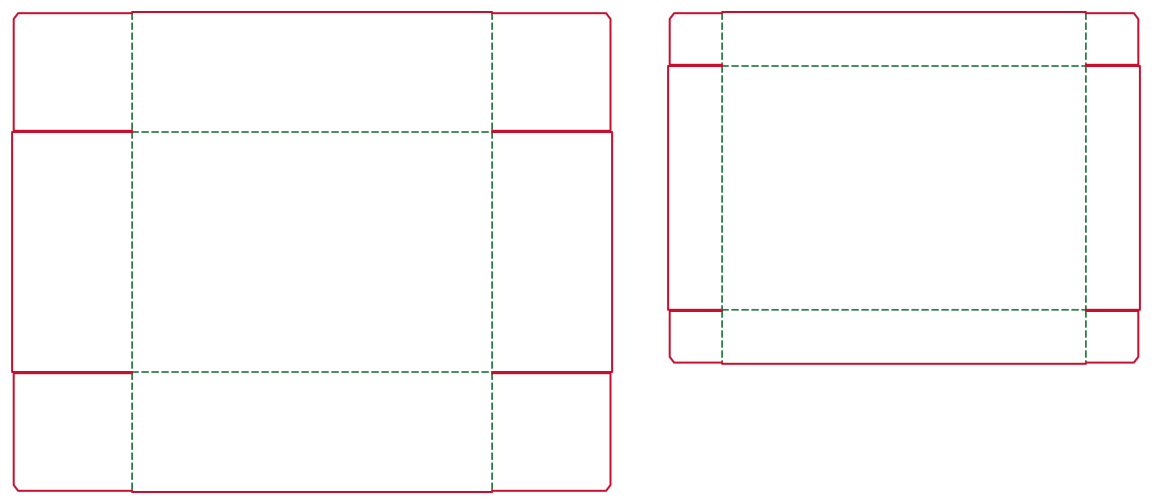
Who uses it
Gift shops, seasonal and corporate gift projects, jewellery and accessory makers, and designers creating presentation boxes.
The packaging problems they face
A gift box needs a lid that fits without being too tight or too loose, a pleasing opening and finishes that feel special without crowding the design. Two-piece boxes also mean two parts that must work together.
Recommended box styles
- Lid & Base: a base tray plus a separate lid. DielineDock sizes the lid from the base: lid inner size = base + 2t + 1 mm per side, with a lid wall height of max(14 mm, 0.45 × H).
- Drawer Box: an inner tray that slides out of an outer sleeve. The sleeve depth is L + 2 mm and its panels include a 2–4 × t allowance.
- Mailer Box: an option when the gift also has to ship.
How to set dimensions
Enter the inner size of the base tray or drawer in millimetres, leaving room for any insert or tissue. Choose a board such as white board 400g, kraft board 350g or coated paper 300g. The lid or sleeve is calculated from your inner size and the board thickness.
How to add brand artwork
In Design, place your logo and pattern on the lid or sleeve and keep text inside the safe area. Each layer can have a finish: gold foil, silver foil, spot UV, gloss, emboss or deboss, or holographic. Finishes tend to work best on focused elements such as a logo or border.
How to check the result in 3D
Fold the box in 3D and try board presets such as black, pearlescent or silver board with matte, gloss or soft-touch lamination. Inspect modes show each finish plate and the emboss height. Finish previews are illustrative only; real foil and texture must be judged on a physical sample.
How to produce files for discussion or samples
Export a PDF from the Output workspace after signing in with an email code. Free includes one RGB Review PDF with a preview watermark. Finish separation PDFs, one 300 dpi grayscale plate per finish, are part of Pro along with CMYK Production and Professional PDFs; Pro is not open for purchase yet. You can also share 3D screenshots to discuss finishes with your printer. On Starter and Pro you can save a .boxproj project file too.
What to confirm with the printer
- Board type, thickness and how tightly the lid should fit.
- Which finishes they offer and how artwork for each finish should be supplied.
- Minimum line and text sizes for foil and emboss.
- Colour and finish proofs or samples.
- Minimum order quantity and lead time.
Frequently asked questions
How is the lid size calculated?
For Lid & Base, the lid inner size is the base size plus 2t plus 1 mm per side, where t is the board thickness. The lid wall height is the larger of 14 mm and 0.45 × H.
Will the foil preview match the real foil?
No. Finish previews are illustrative. The real result depends on the foil, board and finishing process, so ask your printer for a sample.
Should I choose Lid & Base or Drawer Box?
Lid & Base gives a lift-off reveal, while a Drawer Box slides open. Build both in DielineDock and compare them in 3D before deciding.